Content:
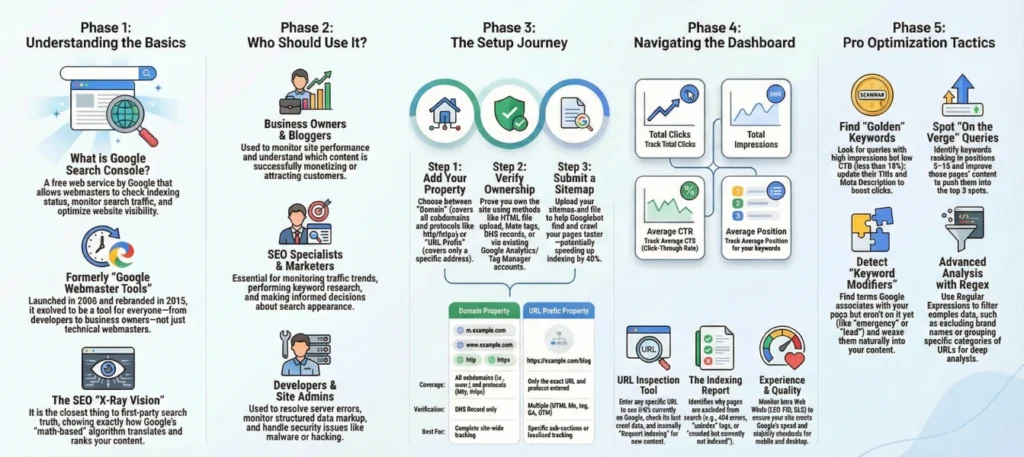
Google Search Console is a free tool by Google that helps you understand how the search engine sees your website. With this service, you can check whether your pages are indexed, which queries your site appears for in search, how many users click through to it, and whether there are any technical errors.
Simply put, Search Console is your website’s control panel in Google. It shows search statistics, alerts you to issues, and helps improve your site’s visibility.
The service used to be called Google Webmaster Tools, so you may sometimes come across the names Google webmaster tools or google webmaster. Today, it is the same tool. The modern version is called Google Search Console (GSC).
If you have a website and want to understand how it performs in Google search, connecting Search Console is a mandatory step.
Google Search Console is a service for webmasters that provides data on how a website interacts with the Google search engine.
With Search Console, you can receive recommendations from Google.
It is the primary tool for SEO specialists, marketers, and website owners. Without it, it is difficult to understand why a website gains or loses organic traffic.
Important to understand: Google Search Console is not a competitor analysis tool. It provides data only for your verified property.
The service is available at https://search.google.com/search-console/about and is completely free.
The main purpose of Google Search Console is to provide website owners with real data from the search engine. This data helps improve SEO and fix technical issues.
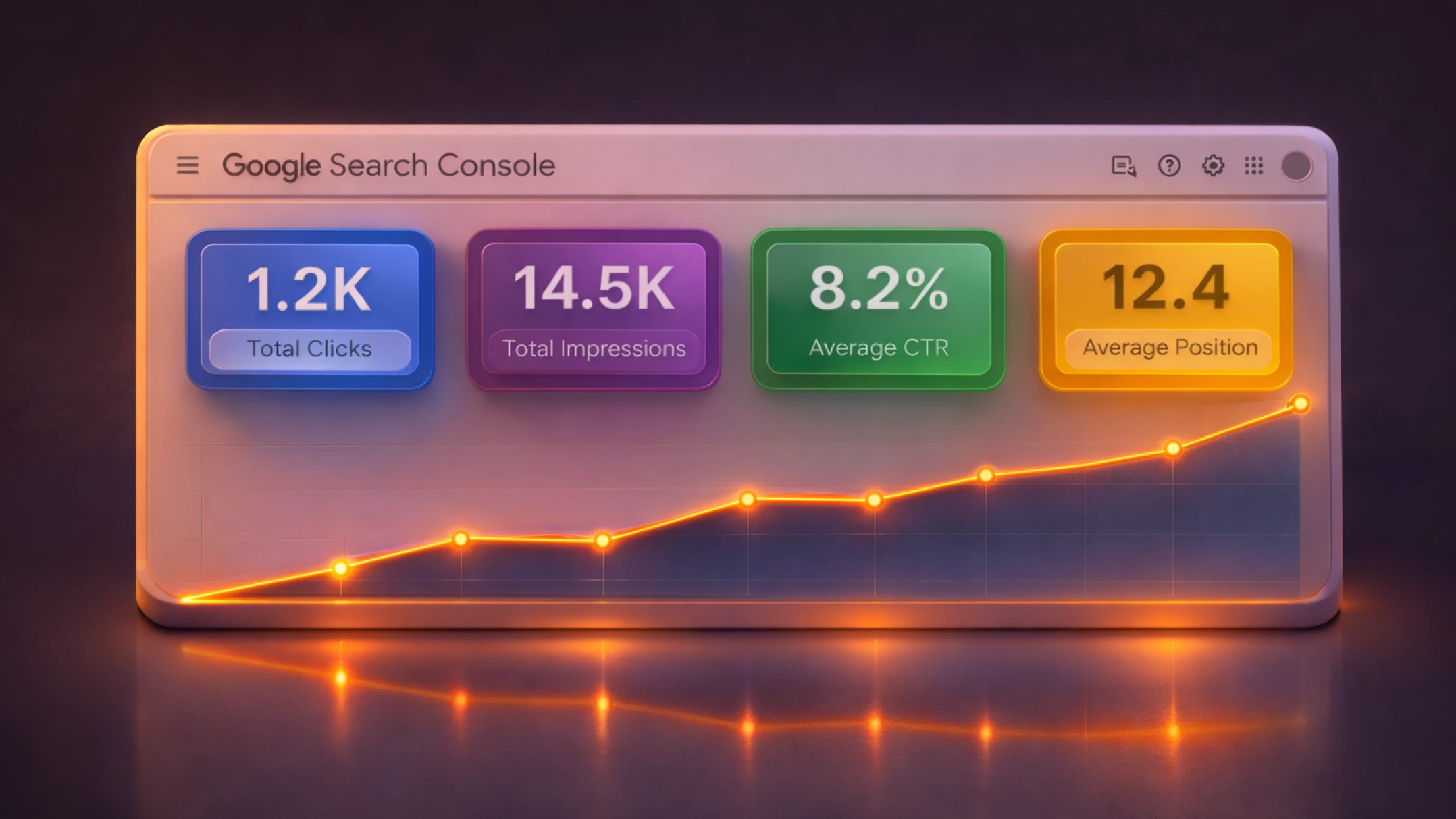
The most popular report is the Performance Report. It shows how your website performs in search.
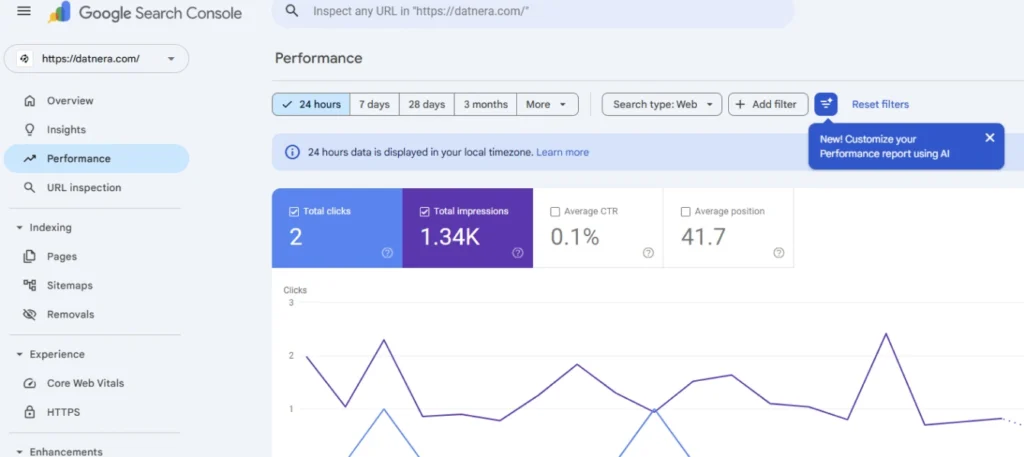
Here you will find the core data:
| Metric | What It Means in Plain English | Business Value |
| Clicks | The number of actual visits from search to your website | Your real traffic and revenue |
| Impressions | How many times your website link was shown to users in search results | Potential reach and brand awareness |
| CTR | Click-through rate (the ratio of clicks to impressions) | Shows how appealing your title is |
| Average Position | The arithmetic mean “ranking position” of your site across all queries | Overall trend direction (growth or decline) |
You can also view search queries, pages, countries, and user devices. This helps you understand which topics drive traffic and which pages need improvement.
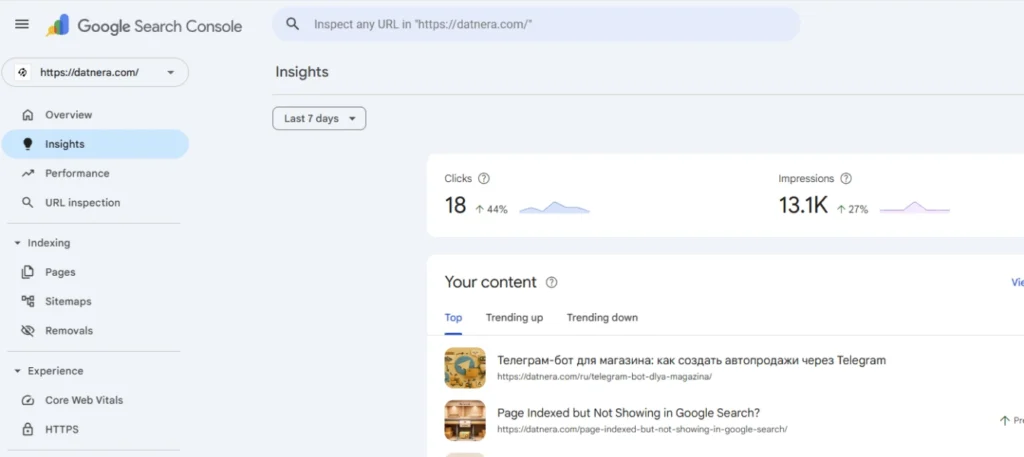
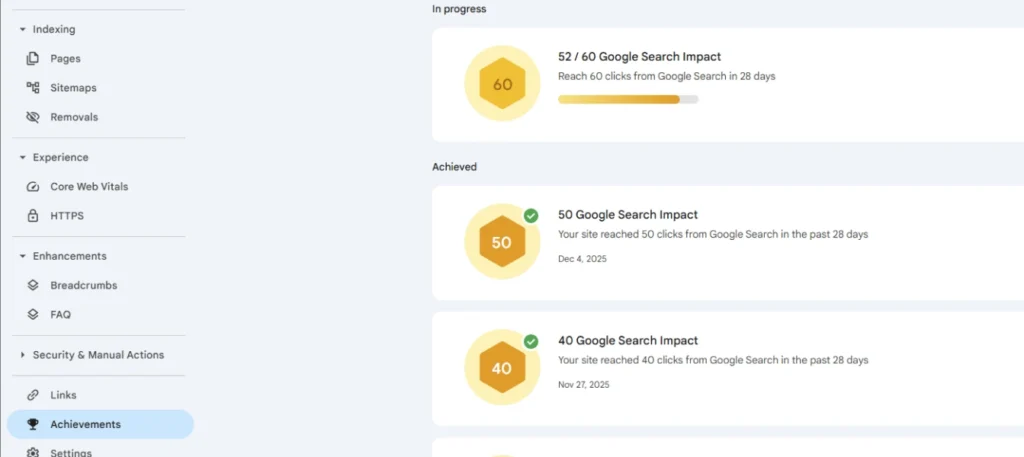
GSC also offers “Insights” and “Achievements” sections — quick reports that highlight your traffic records for the week or month.
For online stores in 2026, the Shopping tab is critically important. Through integration with Merchant Center, it allows you to track the status of your products directly within the console.
Another important function of Google Search Console is monitoring page indexing. If a page is not in Google’s library (the index), it will not bring you a single customer.
In the Indexing section, you can:
Note: The console also tracks video content. If a page contains a video, GSC will show whether Google was able to recognize it and suggest it to users in video search results.
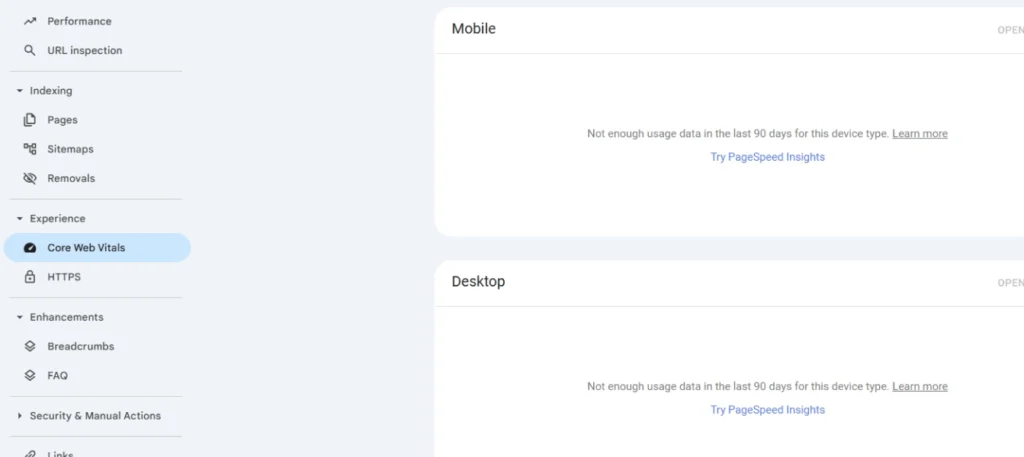
Today, a website’s technical condition is a full-fledged ranking factor. Google Search Console helps identify technical issues.
Several critically important reports in GSC are responsible for this:
The Enhancements tab helps make your snippet (the brief site description in search) stand out. Using structured data, you can add rating stars, product price, FAQ, or breadcrumbs to search results. GSC will show whether the code is implemented correctly and whether the search engine understands it.
If structured data is configured properly, Google can display rich snippets: rating, number of products, availability, breadcrumbs, and other elements.
The Security and Manual Actions section warns you about serious issues. If a website violates Google’s guidelines, the system may limit its visibility in search.
Security tip from Datnera: Google recently added the “Unused verification tokens” feature. Remove outdated verification codes of former employees so they cannot regain access to your company’s data without your knowledge.
The Links section shows the website’s link structure.
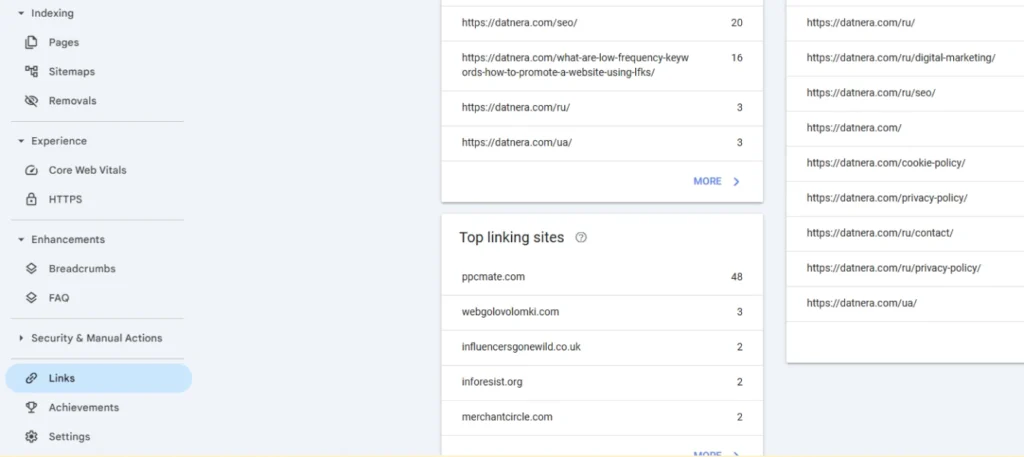
You can find out:
If necessary, you can use the Disavow tool to reject toxic links and ask Google not to take them into account.
The search queries report helps identify keywords with a high number of impressions but a low number of clicks. These are quick wins.
For example, if a search phrase ranks in positions 8–15, a small SEO optimization can push it into the TOP 3.
If a page has many impressions but few clicks, you need to improve the Title and Description.
This way, you can increase CTR and gain more traffic without improving rankings. Experiment with meta tags to boost click-through rate without changing positions.
If a website loses traffic, Google Search Console helps identify the cause.
If traffic declines, a Senior SEO specialist first checks the Performance report. If only impressions dropped, it is likely an algorithm update. If clicks dropped while impressions remained stable, competitors made their snippet more attractive.
SEO specialists use GSC as the primary data source for search traffic across the sections described above.
The service shows real data from Google, not estimated statistics.
Bulk data export: Since the console stores data only for the last 16 months, for serious analytics we set up exports to BigQuery. This allows us to compare current-year metrics with data from two years ago and build deep forecasts.
Do not delay the setup.
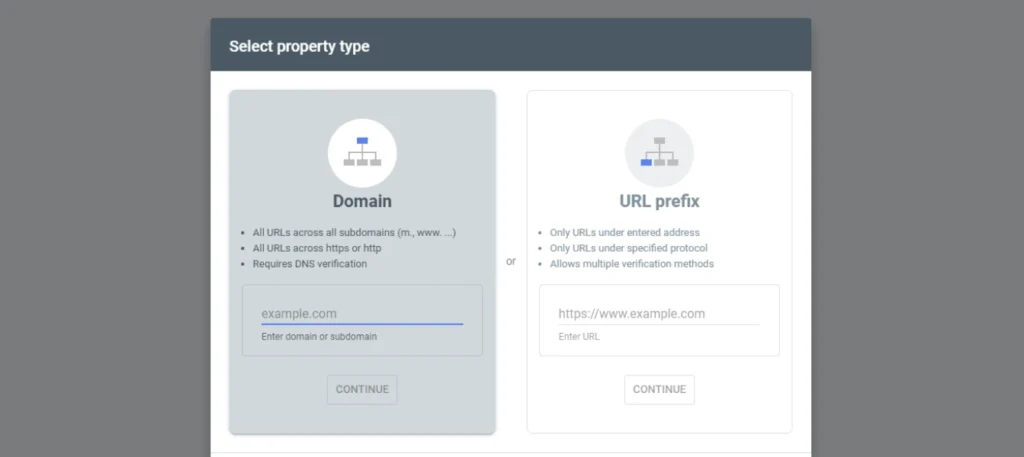
Data starts collecting only after ownership verification — the search engine will not show you historical data for the period before you were “registered” in the system:
Many beginners celebrate when they see their site’s average position improving in reports. However, this metric can be misleading. Let’s examine a real example.
| Period | Ranking for the query “Buy iPhone” (High-frequency) | Ranking for the query “How to choose a case” (Low-frequency) | Ranking for the query “iPhone 16 cheap” (Low-frequency) | Final Average Position |
| May | 5 | 80 | 95 | 60.0 |
| June | 5 | (dropped out of TOP-100) | (dropped out of TOP-100) | 5.0 |
Situation analysis: In May, the iPhone category ranked for three queries. Due to “junk” phrases in positions 80 and 90, the average position was poor (60.0). In June, the page stopped appearing for low-frequency queries (dropped out of the index), and only one query remained at position 5 in the report. Mathematically, the position jumped from 60 to 5, but in reality, traffic did not increase, and the site’s visibility for secondary phrases even decreased.
The best approach is to review GSC reports at least once a week.
In the professional SEO environment, promotion without using data from the primary source is considered “flying blind.” If you want your business to grow in organic search, you need access to the search engine’s “dashboard.” Google Search Console (GSC) is exactly that tool. It is a direct communication channel through which Google tells you how it sees your website, which pages it considers high quality, and where it finds critical errors.
Remember: SEO is not magic but data-driven work. Use console data to make decisions based on facts, not intuition.
Ask your developer or marketer to connect the console right now. The longer you wait, the more invaluable statistics you lose. Remember, data is the new currency, and GSC is your free data bank from the most popular search engine in the world. Download a presentation (report) on the topic of the article below.
Unlike GA4, which analyzes user behavior on the website, GSC shows what happens before users land on the site — at the search stage: which queries trigger your site in results, and how many impressions and clicks it receives.
Yes. It is a completely free tool.
Yes. Webmaster Tools is the old name of the service. Today, it is called Search Console.
You need to add your website to Search Console, verify ownership, and submit a sitemap. More here. After that, the service will start collecting data on search queries, clicks, impressions, and page indexing.
Enjoyed the article?

Discover ideas worth your time — stories,
trends, and tools that shape the future
Join our newsletter for curated
insights and important updates