Made edits on the page, but the search still shows the old version? This is a normal situation: time passes between changing the content and when Google updates the page in the results. Below is a practical instruction on how to check that the edits made it into the index, which signals to consider reliable, and what to do if it’s unclear whether the page has been reindexed.
Important: reindexing is not an “instant update button”. Even after a request in Search Console, Google itself decides when to recrawl the URL and which snippet elements to show.
Indexing is when Google first finds a URL, crawls it, and adds information to the database (index). Reindexing is a recrawl and data update for an already known page: content, metadata, canonical, structured data, images, etc.
Why is reindexing needed? So that changes are applied in search: the title/description are updated, a new date is pulled in, relevance is recalculated, and new queries appear in impressions and clicks.

The task of this stage is not to “check technically”, but to understand from external and behavioral signals whether the page has been reindexed or not. The point is specifically whether the search engine sees the new version of the page as current.
Key principle: if Google continues to use old elements of the page in the results and statistics, it means that the updated version of the page in search has not yet been fixed.
The most indicative signs:
If elements that are no longer on the page continue to be displayed in the results, this is a direct signal that Google still relies on the old version.
GSC does not answer the question “what does the page look like in search”, but the question which version of the URL is fixed in Google’s index. This is the only source that shows the fact of URL reindexing directly.
Check algorithm via the URL Inspection tool:
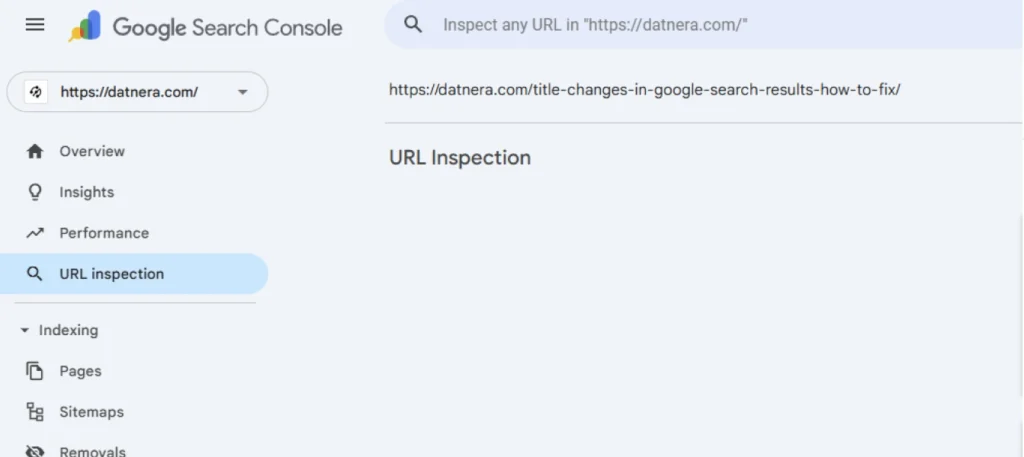
Critical: if the “Test live URL” tool shows new edits, but the “Indexed page” block shows old content, then the check of the URL update in Google’s index gave a negative result.
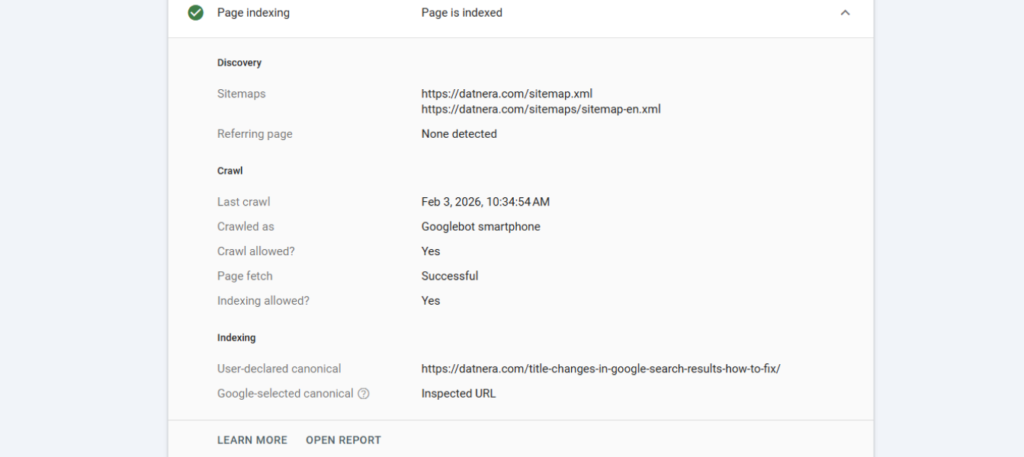
Search Console does not show:
This tool records the state of the index, not the external result in the SERP.
Alternative methods are used when you need to indirectly determine whether the page has been reindexed, without access to accurate index data.
What exactly can be checked:
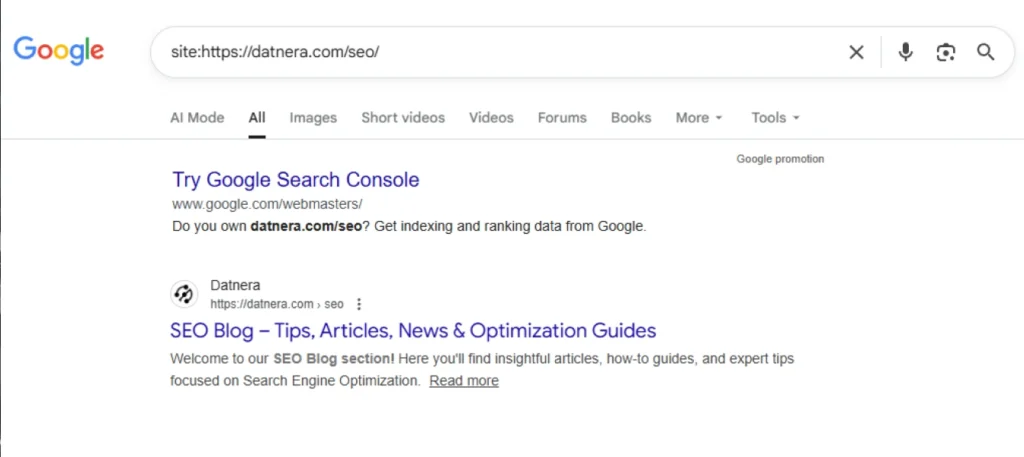
It is important to understand the limitation: alternative methods do not confirm the fact of reindexing, they only show which data Google decided to use in the SERP.
A situation where the page has already been updated in the index, but the snippet remained old, is normal and is not an error.
Speeding up reindexing is work not with the search results, but with how quickly Googlebot revisits the URL. The main goal is to give the search engine a clear signal of the significance of the changes.
Working methods:
What does not speed up reindexing:
Google prioritizes recrawling pages where changes can potentially affect the quality of the results.
If you have already made an indexing request, and the submitted page in the index shows old data, check the typical reasons:

Practical case: after updating title/description, the snippet “does not change”. In URL Inspection, “Indexed page” is already new, but in the results it is old. This means that the update of information about the page in the index has occurred, but the SERP snippet has not yet been rebuilt (or Google decided to use other text sources). In such situations, it is important to look not at one sign, but a set: Last crawl + Indexed version + impression dynamics.
Reindexing is a process of updating data in the index, not an instant reflection of edits in search. It is wrong to evaluate it by a single sign. The correct approach looks like this:
If Google saw changes on the page, but they are not reflected in the results, this is not an indexing problem, but a stage of data processing and selecting relevant fragments.
The main mistake is trying to “push through” the snippet with methods that only affect recrawling.
From a few hours to a few weeks. The speed depends on crawl frequency, site quality, internal links, server availability, and the scale of changes. It is most reliable to ориентироваться on Last crawl and “Indexed page” in URL Inspection.
Most often the reasons are technical (robots.txt, noindex, redirects, 4xx/5xx errors) or resource-related (low crawling budget). Sometimes the updates are already in the index, but the snippet is rebuilt later.
Yes: via URL Inspection → Request indexing. This is not a guarantee, but it speeds up getting into the queue for recrawling the page google.
A snippet is not always an exact copy of meta title and meta description. The search engine may take text fragments from the page, from anchor links, or from other sources.
Check blockers (robots/noindex/response codes), request indexing, strengthen internal linking, and make sure the URL is in the sitemap. If the site is large, reduce duplicates and errors to improve the crawling budget.
Indirectly. A sitemap helps Google find new/updated URLs faster, but it does not replace crawl quality. It is important that the sitemap is up to date and served without errors.
Check URL Inspection: “Live Test” and “Indexed page”, as well as visual elements in the results (if shown). Additionally, checking image caching on the CDN side and correct URLs/parameters helps.
Because the index may have been updated, but ranking and the snippet are not yet. Also, results depend on region, personalization, and Google tests. Watch impression/CTR dynamics and compare several dates.
Make sure there is no cloaking, that the server serves the same HTML for Googlebot and users, clear cache on the server/CDN, check canonical and redirects. Then do a Live Test and request indexing again.
Enjoyed the article?

Discover ideas worth your time — stories,
trends, and tools that shape the future
Join our newsletter for curated
insights and important updates