Content:
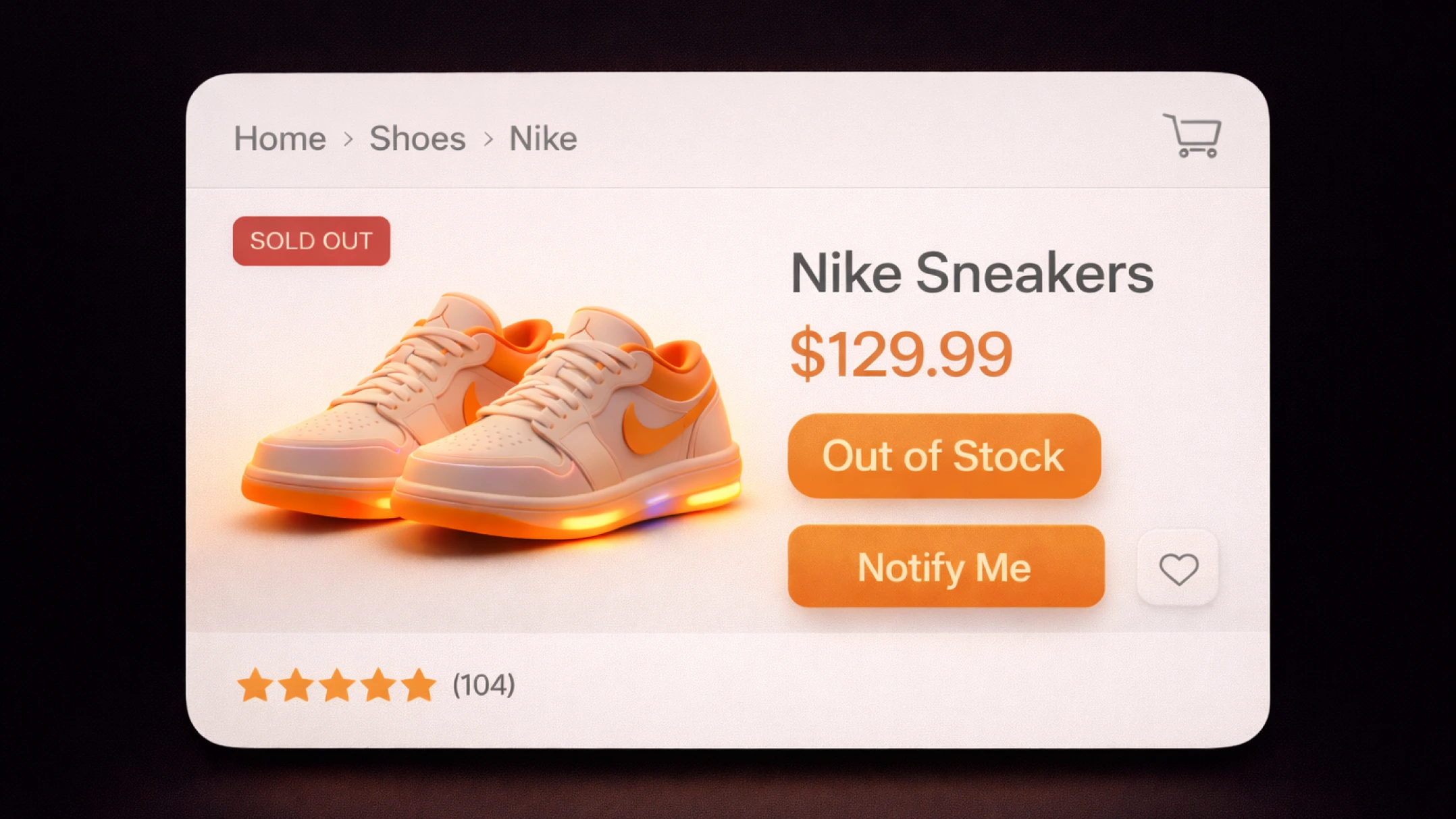
Imagine this: your marketing department spent months on content strategy, link building, and technical improvements. The product page finally secured a spot in the TOP-3. But due to a logistics issue or a surge in demand, the warehouse runs empty. A customer comes from search and sees “404 — Page Not Found” or the dry message “Product Out of Stock”.
This is a classic dead end. A disappointed user instantly closes the tab and returns to the search results to visit competitors. For search engines, this is a powerful negative signal: your page did not solve the user’s problem. But the main tragedy is not even the drop in rankings, but the destruction of LTV (Lifetime Value). At this moment, a loyal user mentally marks your brand as “unreliable”.
However, a product being unavailable is not always a problem. It is a marketing asset if you know how to manage it. E-commerce SEO expert Freddy Chatt describes a case where simply implementing a pre-order system for unavailable products brought a retailer more than £3 million in additional annual revenue. In this guide, Datnera drawing on 10 years of practice explains how to turn the technical status “out of stock” into a profit-generating tool.
During interviews for a Senior SEO position, candidates are often asked a tricky question: “What is your strategy for removing products from the assortment?” A professional approach involves choosing between keeping the page, redirecting it, or removing it completely based on data. Search engines allocate each site a crawling budget, and if your catalog is filled with thousands of dead pages, crawlers will waste resources on them while ignoring new publications.
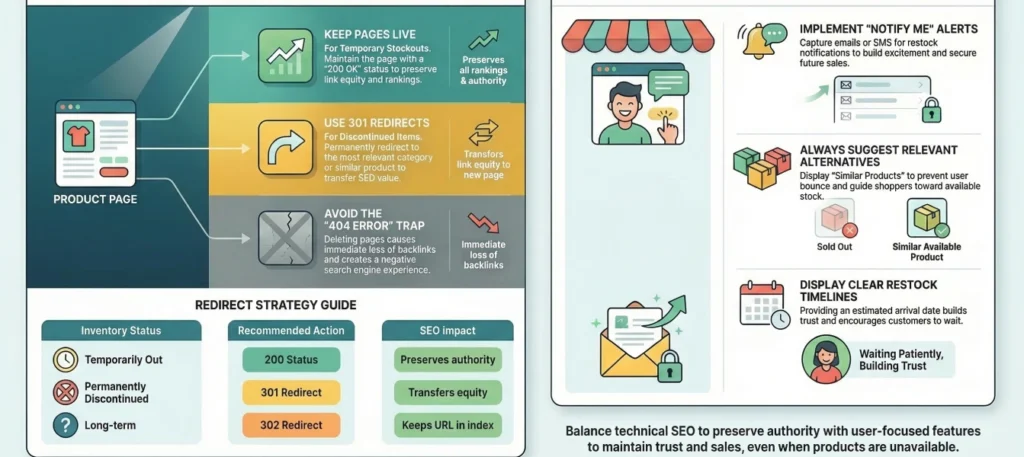
Based on the logic of preserving results, we highlight three scenarios:
If the product will return (seasonality or supply delay), the page must not be deleted / hidden / archived or blocked with noindex.
If the model is outdated or completely sold out (iPhone 14 replaced by iPhone 16) and there will be no more deliveries:
For products such as “apricot seedlings” or “Christmas string lights”, the page should remain indexed all year. In the off-season we deprioritize it in listings (move it down), but keep all content and reviews so as not to lose accumulated SEO authority.
Inventory gaps are inevitable. The retailer’s responsibility is to manage expectations. If you cannot name a delivery date, it is better to hide the purchase button but keep the page’s digital value (reviews and sales history).
Honesty is the most valuable currency in online stores. Show unavailable products transparently and it will be a brilliant move. Why? When a user cannot find the requested product on the site, they think: “This store doesn’t have it.” When they see it with the status “Back in stock soon”, they understand: “They do have it here, it’s just sold out right now.”
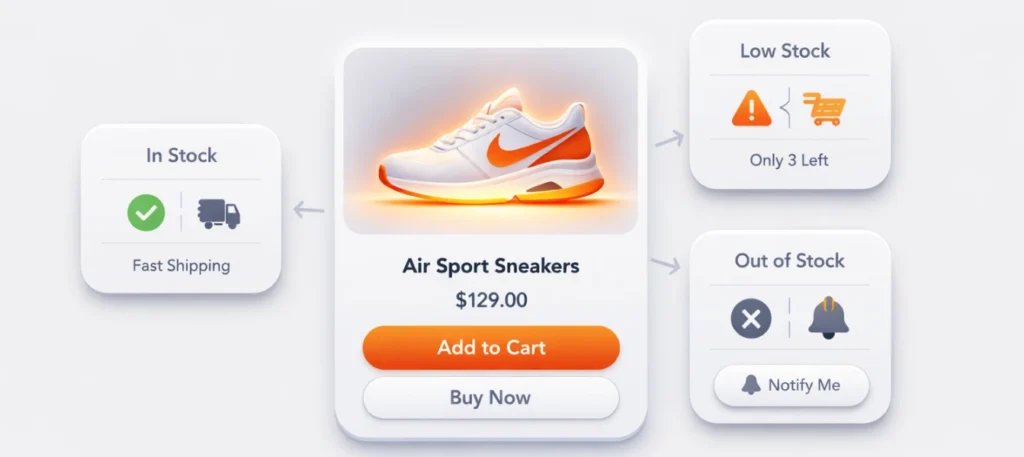
Essential UX elements for an out-of-stock page:
Search engines consider pages without a commercial button less relevant. To avoid the page being classified as a “soft 404” error (Soft 404), it is necessary to properly configure structured data and headings.
Ruben Runneboom, a Google Ads expert, discovered that 90% of stores exclude unavailable products from feeds. This is a strategic mistake: the algorithm loses product data, and when the product returns to stock, a long retraining phase begins. The correct approach: update the availability attribute to out of stock in the Merchant Center feed. This will preserve the history of clicks and conversions, minimizing the learning period after restocking.
In the Offer block you need to change the status:
"availability": "https://schema.org/OutOfStock",
"url": "http://example.com/product",
"price": "150.00",
"priceCurrency": "USD"
This will allow Google to display the status in the snippet. Yes, CTR may decrease, but you will get a targeted visitor ready to wait or look for an alternative, and you will avoid quick exits from the page (pogo-sticking), which damage rankings.
Experts warn that using a 302 (temporary) redirect for products is a dangerous trap. Search engines often interpret 302 as a configuration error and do not pass link equity. If the product is gone for a long time — use a 301 to the category. If it will return in a week — leave 200 OK.
For products with a short life cycle (auctions, one-time collections), the unavailable_after tag is useful, but SEO specialists remind: without combining it with noindex (after the date occurs) you risk leaving thousands of empty pages in the index that will dilute the domain’s authority.
Manage listings and internal link equity. How do OOS (Out-of-Stock) products behave within a category? Your task is to balance SEO relevance and purchasing convenience.
| Action | Why It Matters | Psychological Effect |
| Move OOS down | Maintains the completeness of the listing for SEO. | The user sees options but buys what is available. |
| “In Stock” filter | Improves UX by filtering unnecessary items with a click. | Reduces the level of customer frustration. |
| Last-Modified headers | Helps search engines detect changes faster. | Speeds up indexing after the product returns to stock and the page. |
| Replace “Buy” with “Waitlist” | Turns rejection into lead generation. | Creates a sense of exclusivity and scarcity. |
In complex niches (expensive electronics, professional equipment, niche perfumery), an out-of-stock product page should become the entry point to a consultation funnel. If the product is unavailable, offer expert help via chat. Personal consultation not only retains the user but also allows you to close a deal on a similar, often more expensive product that the user would not have decided to purchase independently.
When a product runs out, most brands simply freeze. Smart brands activate FOMO (Fear of Missing Out). We propose a three-step model that turns scarcity into triumph:
The result? The new batch is often sold out before search engine crawlers even manage to update the page status.
In online stores, every product page is a brick in the foundation of your search authority and SEO results. Treating an out-of-stock product as trash means voluntarily giving market share to competitors. The right SEO strategy (using codes 200, 301, or 410 depending on the situation) combined with aggressive UX marketing (waitlists, pre-orders) turns a technical issue into a loyal user base.
Action plan for today:
Below you can download a PDF file on the topic of this article. This presentation is designed for visual clarity and simple explanation.
The status “out of stock” means that the product is temporarily unavailable in the warehouse and cannot currently be purchased. At the same time, the product page remains on the site so users can review the information and learn when it will be available again.
No, if the product will return or the URL has external links pointing to it. Deletion leads to a loss of SEO equity. Use a 301 redirect for permanently discontinued pages.
Keep the description, specifications, and reviews. Replace the “Buy” button with a “Notify Me When Available” form and add a block with recommended similar products.
Yes, it is critically important for preserving data in advertising campaigns and helps avoid the Google Ads algorithm “retraining phase” after the product returns to stock.
Yes, an abundance of pages without the ability to purchase increases the bounce rate and may lead search engines such as Google and Bing to downgrade the entire section or site.
To sell a product that is out of stock, use a pre-order model or restock notifications. Replace the “Add to Cart” button with “Pre-order” or a “Notify Me When Available” form.
Enjoyed the article?

Discover ideas worth your time — stories,
trends, and tools that shape the future
Join our newsletter for curated
insights and important updates